Split costs online with our expense calculator
This online calculator is a simplified demo showing how a few quick entries can replace complicated notes and manual math.
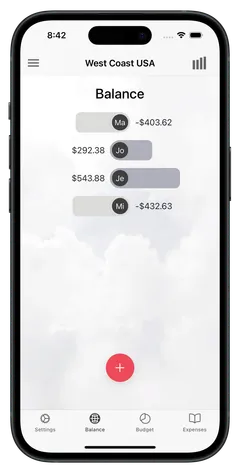
The Cashinator expense-sharing app is a complete solution with many practical features for managing and splitting expenses.
The smart expense tracker makes splitting costs and bills easy— perfect for group trips, sailing adventures, shared households, or your next vacation with friends.
How to use the Cashinator Online Expense Calculator
- Enter people and amounts Add the members of your group and their expenses.
- Show calculation The calculator instantly shows settlement amounts — simplified for demo purposes.
- Try the Cashinator App For real trips and groups, download our Cashinator App and enjoy all features for free.
How do you work out who owes whom?
The idea is simple: for each person, compare what they paid with their own share of the expenses. The difference is their balance. If it’s positive, they get money back; if it’s negative, they owe something. Together, all balances always add up to zero.
Balance = paid − own share
An example – the same one you can load above with “Try it with an example”: Anna, Ben and Chris go away together. Anna pays for the holiday apartment ($300), Ben pays for fuel ($60) and museum tickets for himself and Chris ($24), and Chris pays for dinner ($90). Everything except the museum is split three ways.
The table shows step by step what the calculator does: each expense is split between the people it was for. Added up, that’s everyone’s own share. Take away what each person paid, and what’s left is the balance.
| Expense | Anna | Ben | Chris |
|---|---|---|---|
| Holiday apartment$300 ÷ 3, paid by Anna | $100 | $100 | $100 |
| Fuel$60 ÷ 3, paid by Ben | $20 | $20 | $20 |
| Dinner$90 ÷ 3, paid by Chris | $30 | $30 | $30 |
| Museum$24 ÷ 2, paid by Ben | – | $12 | $12 |
| Own sharesum of the rows above | $150 | $162 | $162 |
| Paidwhat each person paid for | $300 | $8460 + 24 | $90 |
| Balancepaid − own share | +$150 | −$78 | −$72 |
Ben’s share is $162, but he has only paid $84 – so he still owes $78. For Chris it’s $162 against $90, so $72. Both go to Anna, who paid $150 more than her share. So Ben pays Anna $78 and Chris pays Anna $72 – and everyone’s square. Paying back every expense one by one would take seven payments; this way it’s just two.
In bigger groups it quickly gets hard to see who should pay whom. That’s why the calculator offsets all balances against each other and picks payments that settle as many people as possible in one go. Why the result can look surprising at first is explained under calculating debts: how Cashinator does the math.
What is the expense calculator good for?
Wherever one person pays for several and you settle up at the end:
- Holidays and group trips: accommodation, rental car, fuel, food – who paid for what? For longer trips there’s the expense-sharing app.
- Restaurants and bars: one person pays the whole bill, the others pay back their share. Tips on splitting bills, and the right tip comes from the tip calculator.
- Shared flats and households: groceries, cleaning supplies, internet – for an ongoing flatshare kitty, the app is the better fit.
- Parties and outings: from bachelor parties and New Year’s Eve to the kitty on a sailing trip.
Online calculator or app?
For a quick settle-up, the online calculator is all you need. As soon as several people collect expenses over days or weeks, the Cashinator app comes into its own:
| Feature | Online calculator | Cashinator app |
|---|---|---|
| Split expenses evenly | yes | yes |
| Who pays whom – with few payments | yes | yes |
| Share the result with the group | yes | yes |
| Save expenses | no | yes |
| Everyone adds their own, shared via QR code or link | no | yes |
| Work on it with friends at the same time – everything syncs automatically | no | yes |
| Split unevenly: amounts, percentages or shares | no | yes |
| Several payers for one expense, e.g. when two people settle the bill together | no | yes |
| Add a tip – split automatically in the same ratio as the expense | no | yes |
| Families and households, even of different sizes – just one payment per household | no | yes |
| 160+ currencies, converted at the daily rate | no | yes |
| Choose categories or create your own | no | yes |
| Record the payment method, e.g. cash or card | no | yes |
| Detect the location automatically | no | yes |
| Express Scan: snap the receipt, every line item is read and ready to assign | no | yes |
| Receipt photos | no | yes |
| Reports, PDF and CSV export | no | yes |
| … and much more! | no | yes |